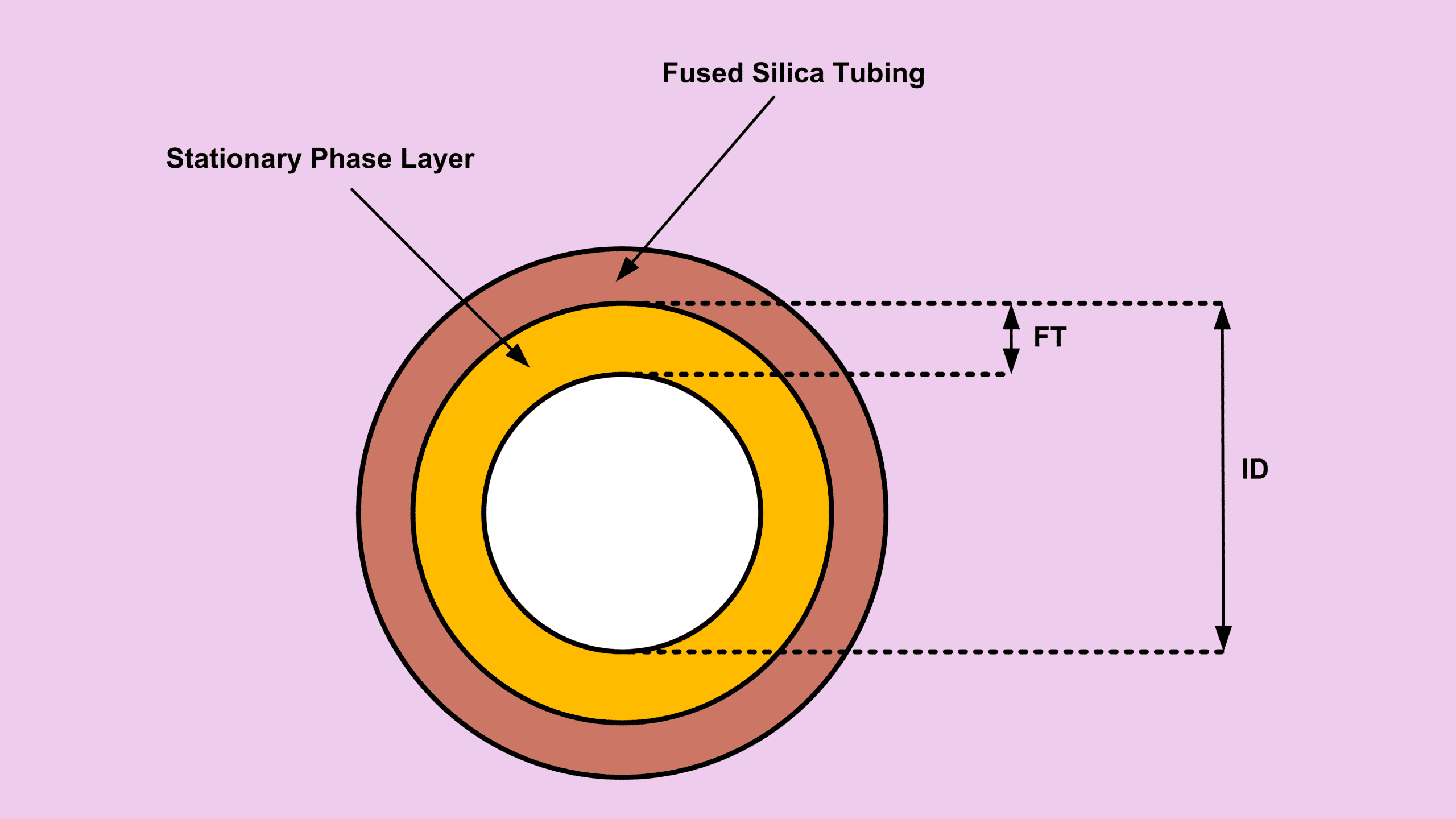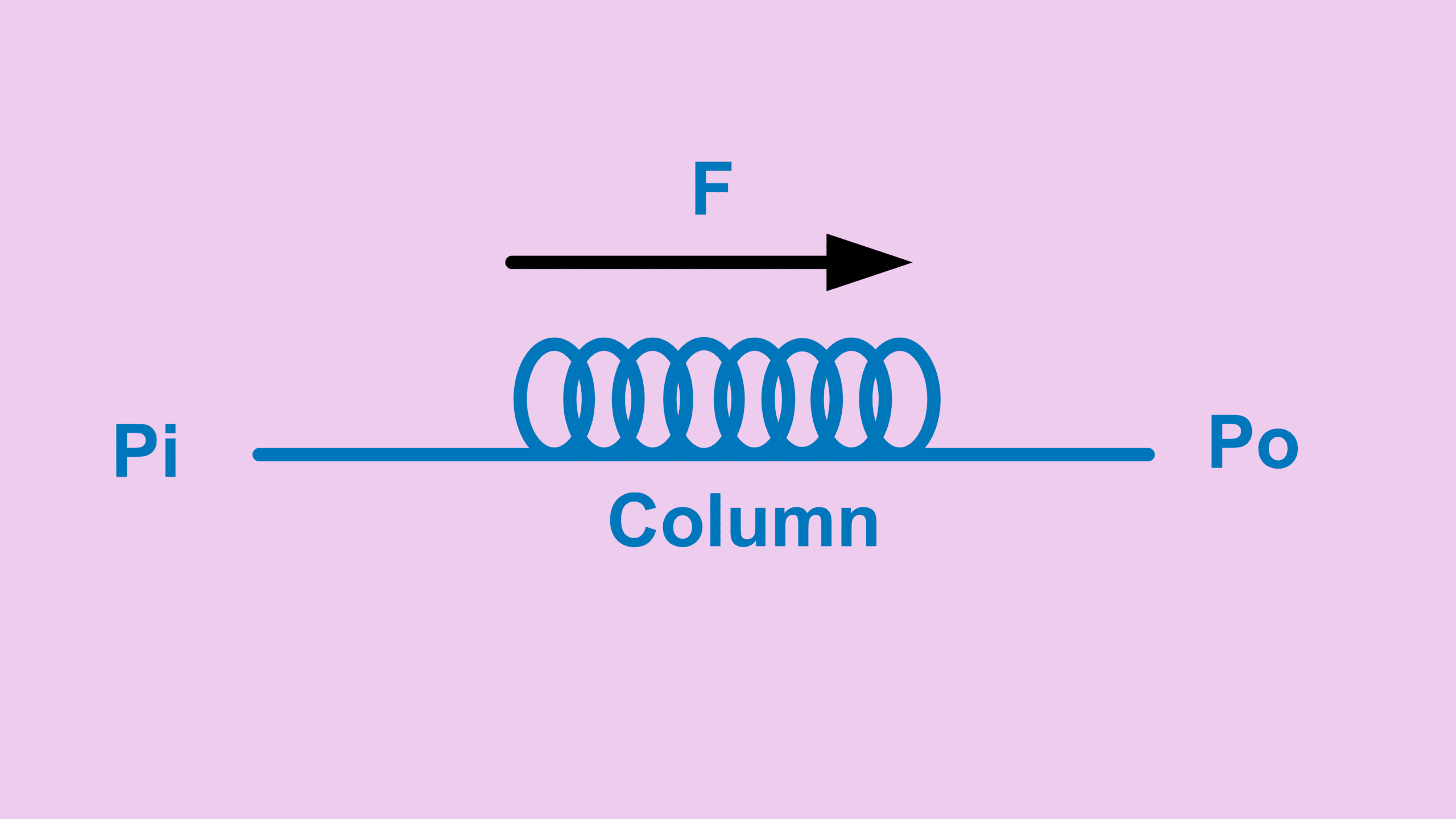

When working with a GC backflush column setup, one of the most useful configurations involves connecting two columns in series with a pressure supply at the midpoint. This setup is powerful because it allows you to control what reaches the detector — and just as importantly, what doesn’t.
In this post, we’ll walk through how to calculate the flow rate across each column in a GC backflush column setup. While we won’t go deep into the backflush mechanism itself here, we will cover the key calculations you need to make this configuration work reliably.
Understanding the GC Backflush Column Setup Configuration
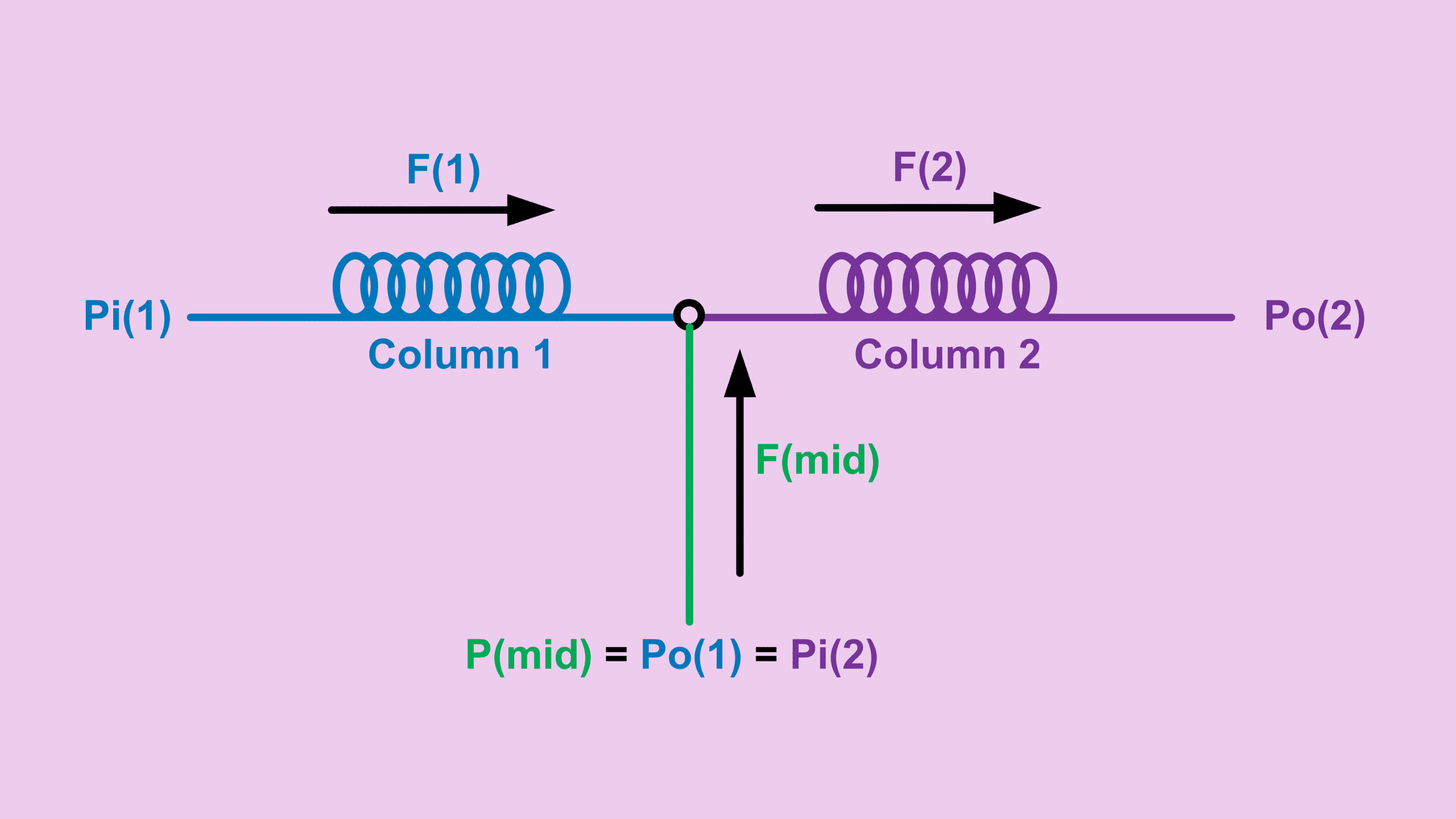
In a typical GC backflush column setup, two columns are connected in series, but instead of a simple connection, a pressure supply is introduced at the junction.
Why Use a GC Backflush Column Setup?
Let’s say your sample contains hydrocarbons up to C50, but you’re only interested in C1 to C9.
In a normal setup, trying to push everything through a single column would not work — heavier compounds simply won’t elute efficiently.
However, with a backflush column setup, you can:
- Allow C1–C9 to pass into column 2 and reach the detector
- At the same time, push C10+ compounds backward to the inlet
This works by lowering the inlet pressure of column 1 while maintaining a higher midpoint pressure.
As a result:
- Light compounds continue forward
- Heavy compounds reverse direction
GC Backflush Column Setup Flow Equations
To calculate flow in a backflush column setup, we start with the standard flow relationship:
\[ F_o = \text{Constant} \cdot \frac{\Delta P^2}{R} \]Where:
\[ \text{Constant} = 1{,}029{,}546.68 \] \[ \Delta P^2 = P_i^2 – P_o^2 \] \[ R = \frac{\eta L T_c}{d^4} \]Midpoint Pressure Relationship in GC Backflush Column Setup
In this configuration:
\[ P_{mid} = P_{o(1)} = P_{i(2)} \]Since you already know:
- Inlet pressure of column 1
- Outlet pressure of column 2
- Midpoint pressure
You can calculate pressure drops:
\[ \Delta P_1^2 = P_{i(1)}^2 – P_{o(1)}^2 \] \[ \Delta P_2^2 = P_{i(2)}^2 – P_{o(2)}^2 \]Calculating Flow in Each Column
Once resistance R is known for each column, the flows become:
\[ F_1 = \text{Constant} \cdot \frac{\Delta P_1^2}{R_1} \] \[ F_2 = \text{Constant} \cdot \frac{\Delta P_2^2}{R_2} \]Midpoint Flow and Flow Ratio
From here:
\[ F_{mid} = F_2 – F_1 \] \[ \text{Flow Ratio} = \frac{F_1}{F_2} \]In a stable backflush column setup, you typically want:
- Flow ratio ≤ 0.8
- Meaning column 1 flow is ≤ 80% of column 2
Why Flow Ratio Matters in GC Backflush Column Setup
If the flow ratio is too high:
- Column 2 cannot consume incoming flow
- Pressure builds up at the midpoint
As a result:
- Actual pressure becomes higher than the setpoint
- GC may go into not ready status
- In extreme cases, the system never stabilizes
Handling Excess Pressure with Bleed Vent
In some cases, you may not be able to keep the flow ratio below 0.8.
A practical solution is to install a bleed vent at the midpoint line.
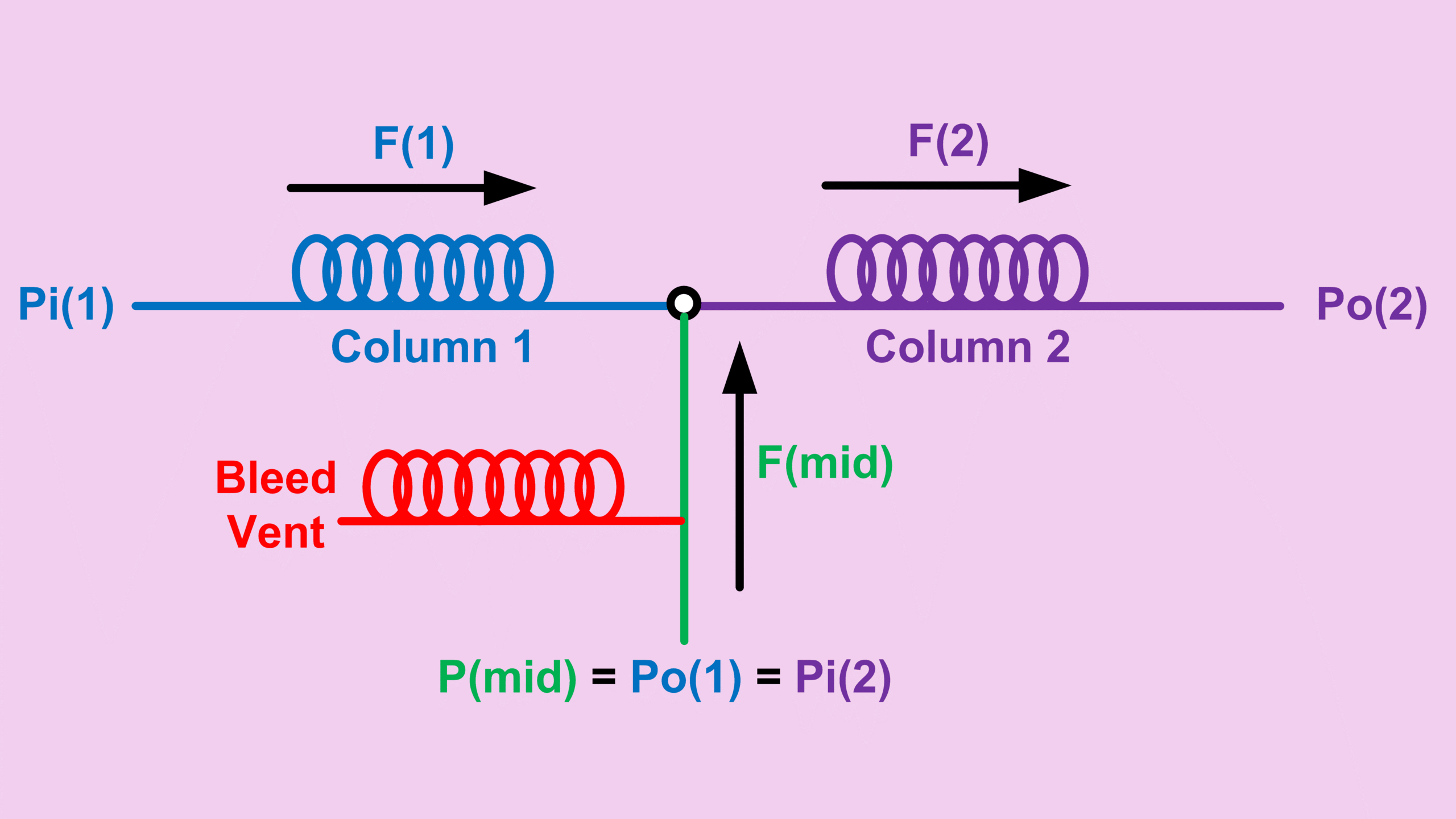
This allows excess pressure to be released before entering column 2.
For example:
- The Agilent 8890 offers a PDS module
- This module includes a controllable bleed vent via GC software
Calculator for GC Backflush Column Setup
To simplify everything, I’ve combined all these equations into a calculator:
GC Series Midpoint Pressure – Two Capillary Columns
You just need to input:
- Column 1 and column 2 parameters
- Carrier gas
- Column 1 inlet pressure
- Column 2 outlet pressure
- Midpoint pressure
Key Takeaways
- A backflush column setup allows selective detection of compounds
- Midpoint pressure plays a critical role in controlling flow
- Flow ratio should ideally stay below 0.8
- Excess pressure can destabilize the system
- A bleed vent can help maintain stability when needed
Want to Go Further?
If you’re using a backflush column setup in your daily work, understanding the flow behavior is essential for stable operation.
If you are looking for flow calculation in different column connection configurations, check out the posts below:
- Single column → Column Flow Calculation in GC: From Equation to Practical Use
- Two columns in series → GC Column Series Calculation: How Flow and Pressure Work Across Two Columns
- Three columns in series → GC Column Flow Series for 3 Columns Explained
- Three columns in series with mid-supply (1) → GC Series Columns with Midpoint Pressure Supply Calculation