
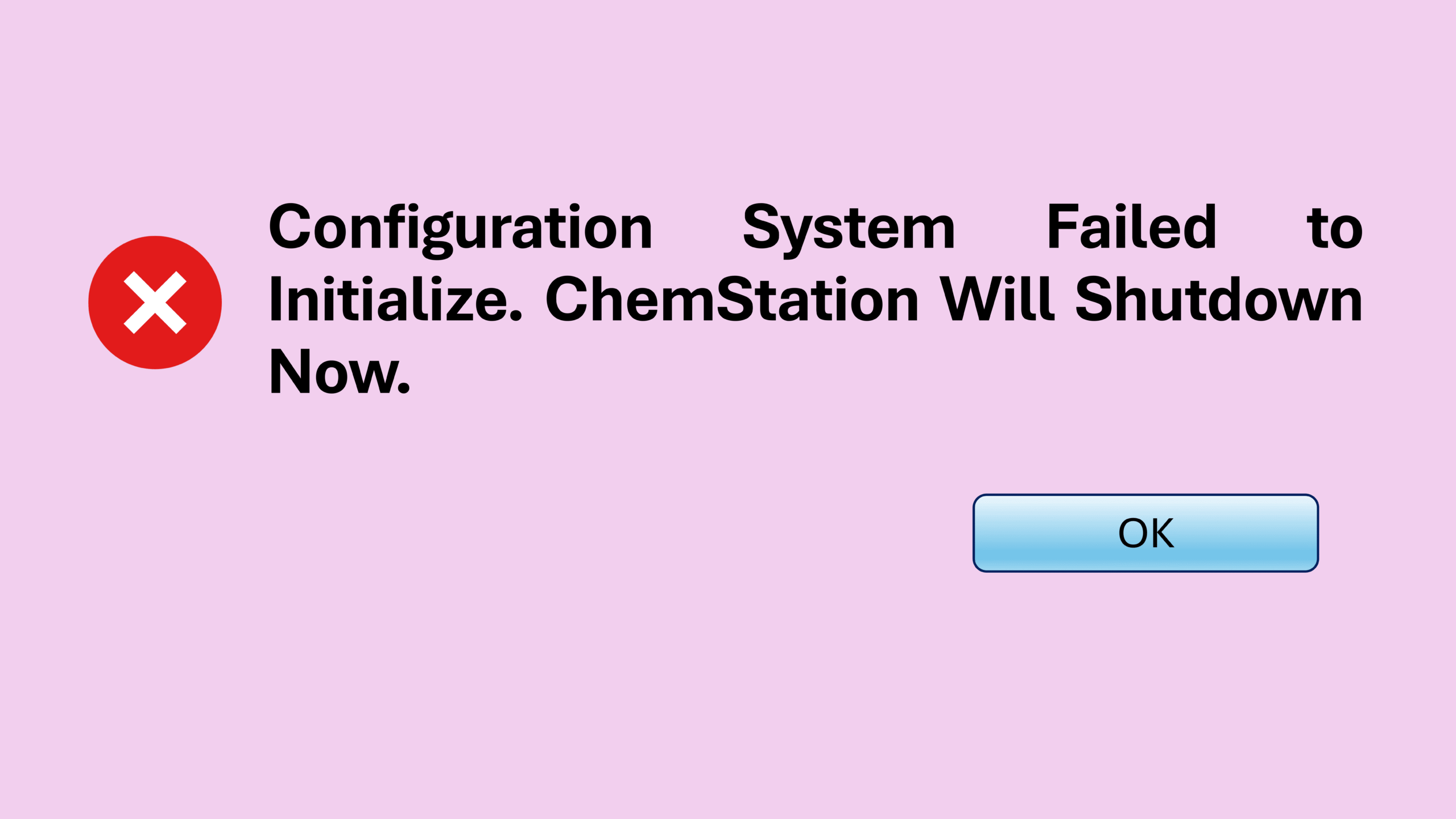
In the past few posts, I have shared several issues I encountered with Agilent OpenLab Chemstation software. As for this post, I will dive into another common ChemStation configuration error which appears as the following message:
“Configuration System Failed to Initialize. ChemStation Will Shutdown Now”
Before we dive in, just to let you know that this article is part of my Chemstation Troubleshooting series which you can find the summary for all other related posts at ChemStation Troubleshooting: All Errors and Fixes in One Place.
Understanding the ChemStation Configuration Error
The ChemStation configuration error can be quite frustrating when it shows up unexpectedly. When this happened to me, it was very annoying at first.
Here is what I observed.
When I logged into the PC using the administrator account, I could launch OpenLab Chemstation normally. Everything worked fine, and I could even start a run without any issue.
However, when I switched back to the normal routine user account (non-admin), the problem appeared. Instead of launching normally, OpenLab Chemstation kept showing the error message:
Configuration System Failed to Initialize. ChemStation Will Shutdown Now.
As a result, the software immediately closed. Because of that, routine operation became impossible under the normal user account.
Troubleshooting the ChemStation Configuration Error
Naturally, I tried several troubleshooting steps before finding the actual cause of this ChemStation configuration error.
For example, I attempted the following:
- Deleting the existing instrument configuration and creating a new one
- Adding “.old” to all files mentioned in my earlier post
ChemStation Sequence Crash: How I Fixed a Sudden ChemStation Shutdown
Unfortunately, none of these attempts fixed the ChemStation configuration error.
At that point, the situation looked quite puzzling. Since the system worked perfectly under the admin account, the hardware and main installation were clearly fine.
The Actual Fix for This ChemStation Configuration Error
Fortunately, I later discovered that this exact error had already been documented by the Agilent community.
The discussion can be found here:
Because of that, this post is both a shout-out to the community and a personal reference in case that page disappears in the future.
The solution turned out to be surprisingly simple.
All I needed to do was:
- Log in using the routine user account
- Locate the following folder
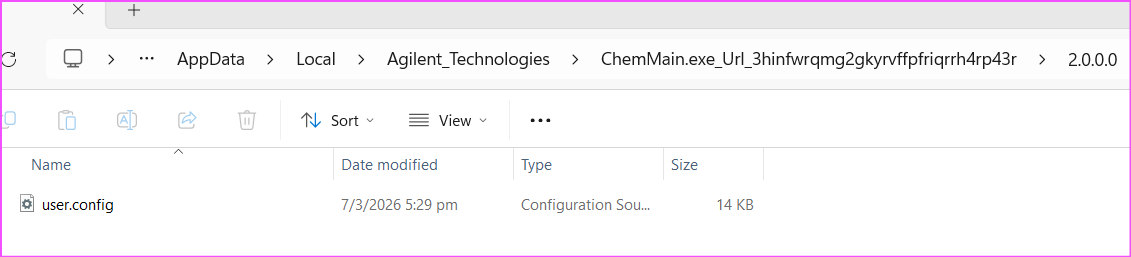
C:\Users\<logged on user>\AppData\Local\Agilent_Technologies\ChemMain.exe_Url_3hinfwrqmg2gkyrvffpfriqrrh4rp43r\2.0.0.0
- Find the file user.config
- Rename it by adding “.old”
user.config → user.config.old
After that, I relaunched ChemStation.
Immediately, the software generated a new user.config file, and the error disappeared completely.
Therefore, the root cause was simply a corrupted user.config file.
Also note that hidden files must be enabled in Windows to view this folder location.
Key Takeaways
- The ChemStation configuration error “Configuration System Failed to Initialize” may be caused by a corrupted user.config file.
- The issue may only appear under non-admin accounts, which makes troubleshooting confusing at first.
- Renaming the existing user.config file forces ChemStation to create a fresh one.
- The fix takes only a few minutes once you know where the file is located.
Before You Go
If this guide helped you solve the problem, feel free to share it with other GC users who might face the same issue.
Check out the following blog posts for specific ChemStation problems in Chemstation Troubleshooting series below:
- ChemStation Blank Screen: How to Fix the Issue Quickly
- ChemStation Method Error: Meth(od)File$ key in section [PCS,1] of Chemstation.ini not valid
- ChemStation Sequence Crash: How I Fixed a Sudden ChemStation Shutdown
- Fixing the ChemStation License Error: “Failed to Acquire One or More Mandatory Licenses”
- ChemStation GC Offline When Starting a Run? Here’s One Fix That Worked
- Chemstation Instrument Controller Error – How to Fix PC Name Mismatch
- ChemStation Server Connection Failed: Quick Fix for the “Connection to the Selected Server Failed” Error